
1. Find and claim your site
Most sites are already on ViaCamp, often with data from OpenStreetMap. So that you can manage the details yourself, you claim your site once.
How it works
- Open via.camp and create a free account (email and password, or with Google).
- Look for your site using the search field at the top of the map and open it.
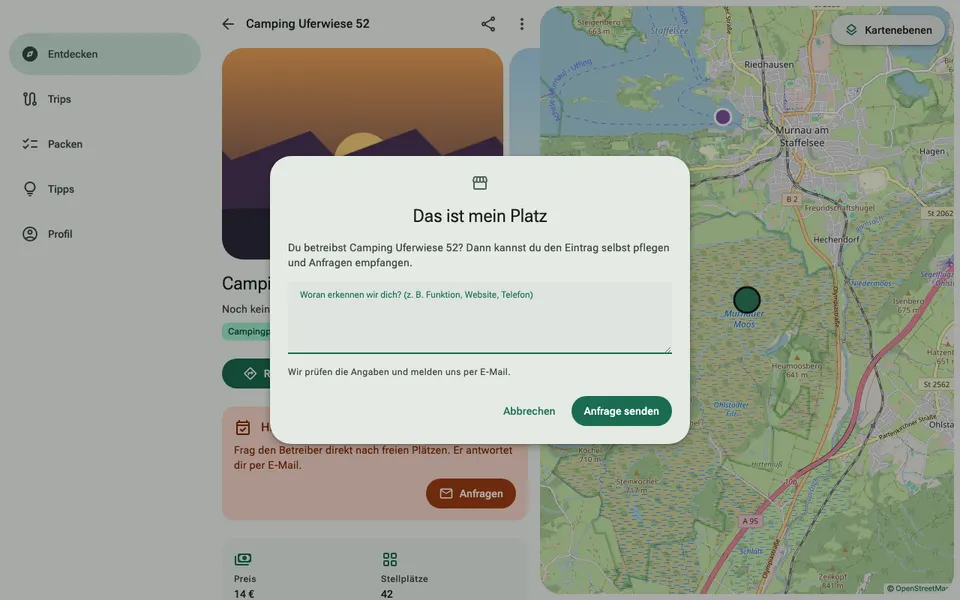
- Tap the three dots at the top right and choose “This is my place”.
- Briefly tell us how we can tell the site belongs to you, for example your role, the website or a phone number.
- We check the details and get back to you by email. After that you will find the “My site” section in the menu.
Handing over your site or deleting your account
You delete your account in the app under Profile → “Account” → “Delete account”. Your site becomes free again so someone else can claim it. Prices, notices, photos and reviews stay with the site. If a Featured subscription is still running, cancel it first; only then can the account be deleted. If you only want someone else to take over the site without deleting your account, write to martin@via.camp.