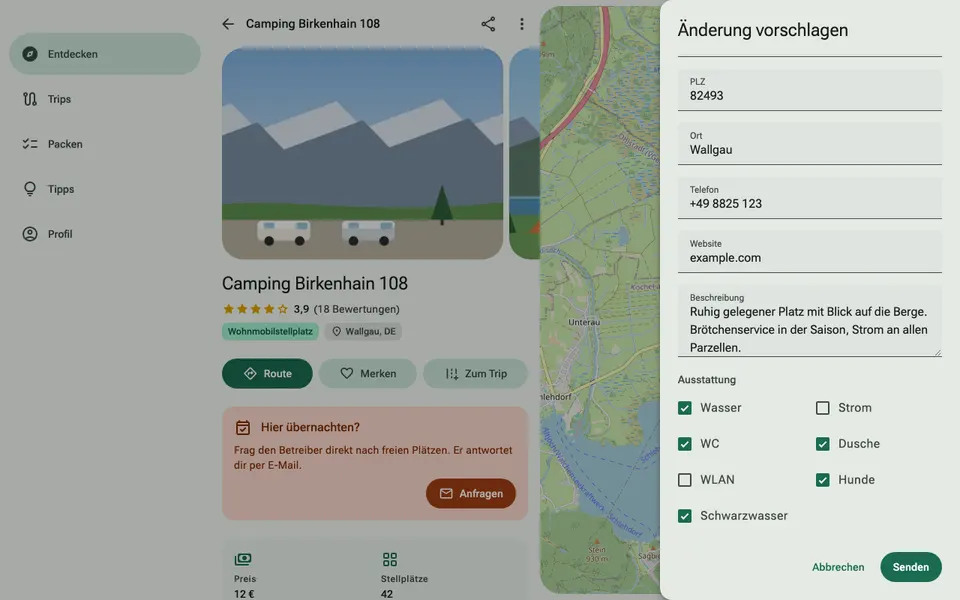
4. Keep facilities and facts up to date
Campers filter by facilities, for example electricity, showers or dogs. If a box isn't ticked, your site won't appear for that filter.
How it works
- In the “Suggest a change” window, tick the boxes under “Facilities” at the bottom for water, electricity, toilet, shower, Wi‑Fi, dogs and black water disposal.
- Enter the type of site, price, season, number of pitches and a height limit, if there is one.
- Check your address, phone number and website. The website is shown as a link on your page.