7. Connect your occupancy calendar
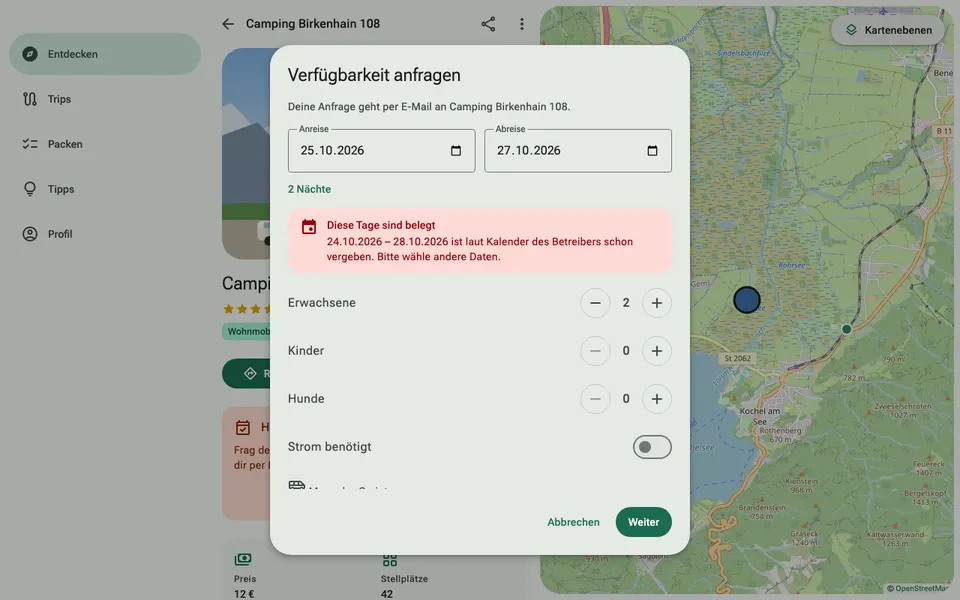
If you use a booking system, ViaCamp can take over your booked days. If a guest asks about booked days, they see a note straight away and cannot send the enquiry. This saves you from having to say no.
How it works
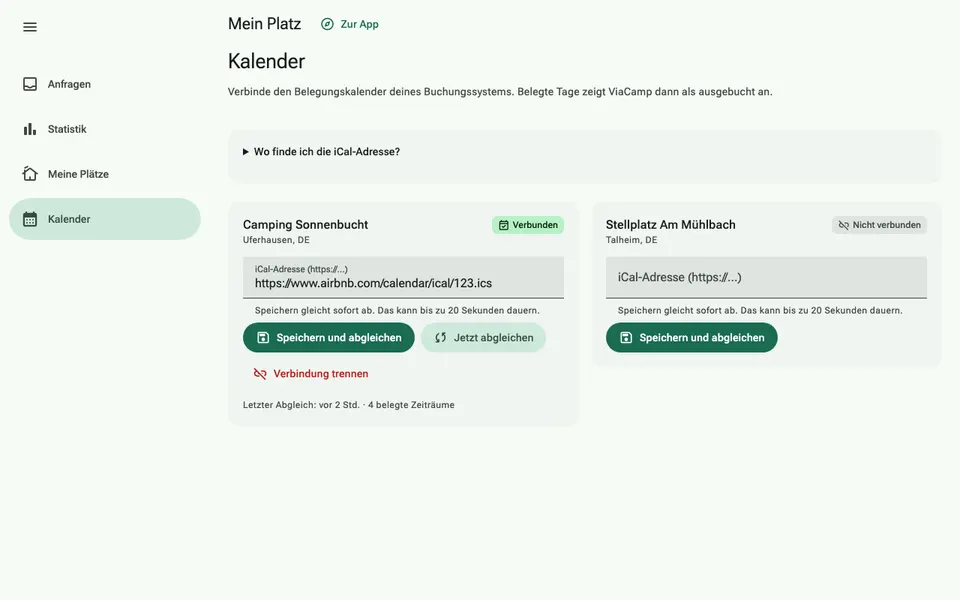
- In your booking system, look for “Export calendar”, “iCal” or “Calendar link”. Airbnb, Booking.com and many campsite programs offer this. You get an address that usually ends in .ics.
- Open “My site” › “Calendar”, paste the address next to the right site and tap “Save and sync”.
- ViaCamp syncs the calendar once a day. “Sync now” does it straight away.