
6. Answer enquiries quickly
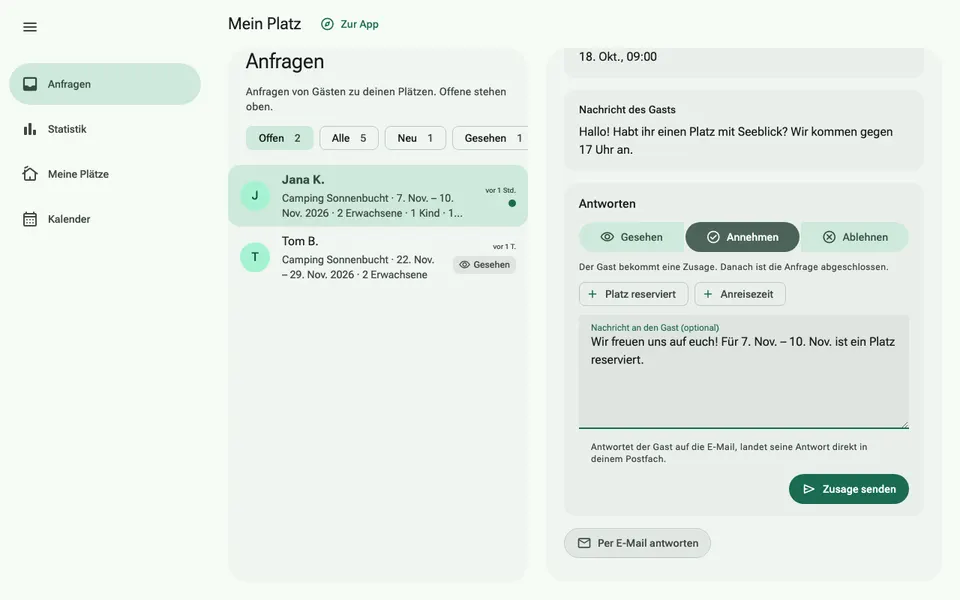
Guests can ask about free dates on your page. The enquiry includes dates, number of people, dogs, vehicle and a message. It arrives by email and in your inbox under “My site” › “Requests”.
How it works
- Open the enquiry. You see all the guest's details at a glance.
- Choose Accept, Decline or Seen. Templates such as “Pitch reserved” fill in the reply for you.
- Add a few words if needed and send. The guest receives your reply by email and can write back to you directly.
Enquiries go to the email address stored for your site. If none is stored, they go to the email address of your account. If another address should receive enquiries, write to martin@via.camp.